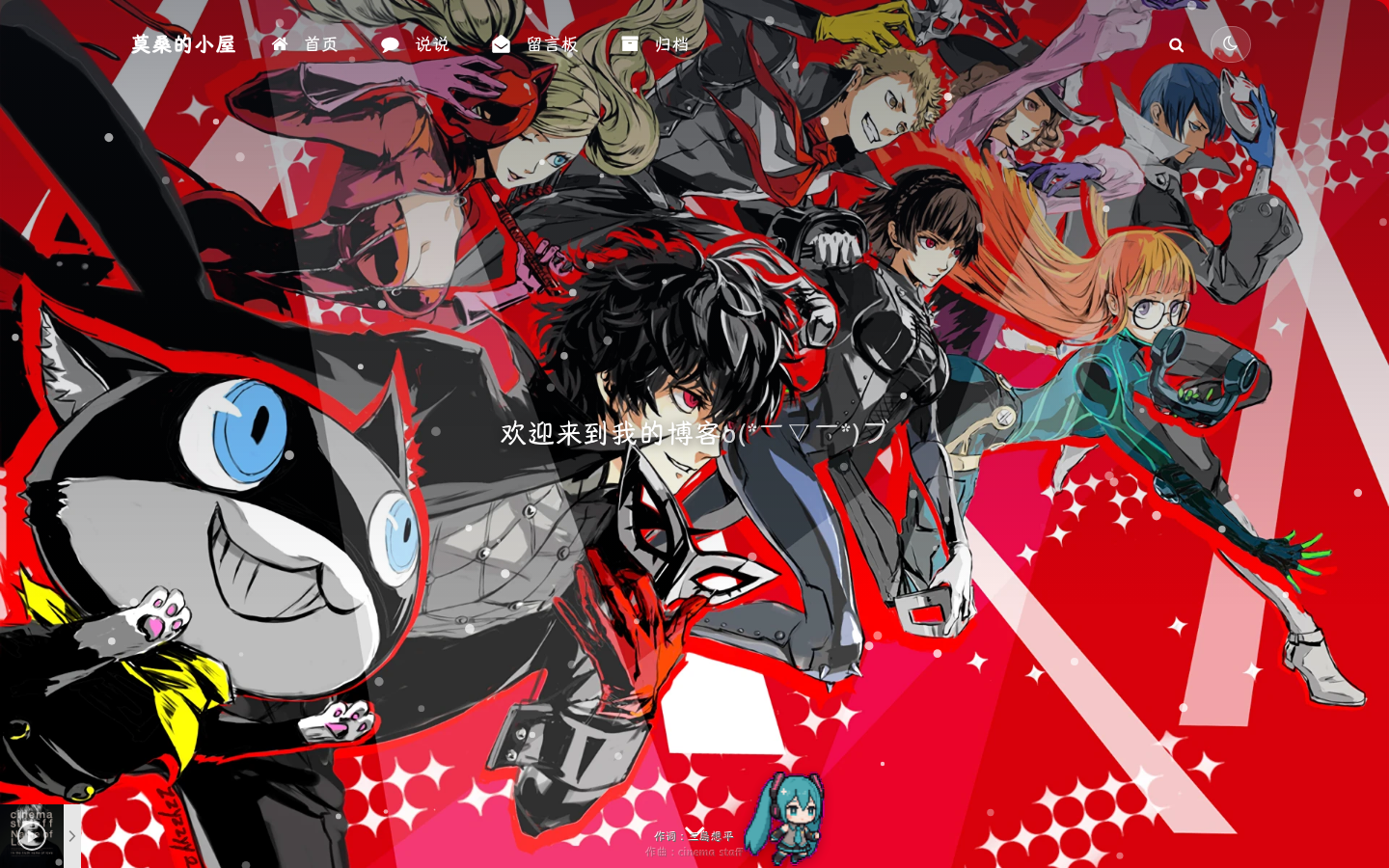
我的博客美化与自定义记录(Argon 主题进阶玩法)
日志
- 2026-08-16:在线编辑器升级 Vditor IR 即时渲染(Typora 式,替代 Editor.md 分屏预览);修复行内代码显示成字面文本的 bug(Githuber safeMode 转义);文章发布页 meta 信息栏在封面大图下改白字+阴影保证可读;修复编辑区长行不自动换行(主题 article pre 规则覆盖 Vditor pre-wrap)。
- 2026-08-10:壁纸空间升级(NextCloud WebDAV 自动同步 + WebP 压缩 118MB→8.5MB);导航栏透明 + 去掉全页阴影;在线编辑器大升级(编辑过往文章、搜索、标签/分类下拉管理、同步滚动、封面编辑、暂存草稿);首页排版改参考博客大图布局;摘要 HTML 转义修复;音乐播放器改本地 APlayer 方案。
- 2026-08-09:大规模美化升级:全屏壁纸+一键切换、雪花特效、底部走动桌宠(3款)、Live2D 看板娘(3模型本地化)、玻璃拟态风格统一、在线编辑器(登录+一键发文+图片上传)、主题色统一为深蓝灰 #2f4154、自定义光标系统、日历移入统计 tab、表情键盘修复、站点概览文章统计跳转归档。
- 2026-08-08:修复 Markdown 渲染(安装 Githuber MD 插件);正文标题改为自动编号。
- 2026-08-08:新增留言板评论增强、日历美化。
- 2026-08-07:文章创建。记录博客美化全过程(页脚徽章、音乐播放器、字体、侧边栏、特效等)。
博客搭好后,参考"阿雷的小窝"(blog.leihub.cn)的风格做了一系列美化:页脚徽章、音乐播放器、全局字体、侧边栏重构、各类特效……本文完整记录每个自定义项的配置方法与效果。
自定义入口
Argon 主题的所有自定义内容都集中在 后台 → 外观 → Argon 主题选项 里,核心是这几个字段:
设置项用途存储选项名页脚内容页脚自定义 HTML(徽章、运行时间)argon_footer_html自定义 CSS全局样式覆盖argon_custom_html_head(``)自定义 HTML(head)head 区域脚本/样式(字体、播放器)argon_custom_html_head自定义 HTML(footer)页面底部脚本(特效)argon_custom_html_foot> 💡 这些值存在 wp_options 表。由于本博客用的是 SQLite,我写了个 PHP 脚本直接读写,改完记得清 Redis 缓存。
页脚徽章 + 运行时间
参考阿雷博客,在页脚加了三个徽章:备案号、版权、运行时间。
配置代码(argon_footer_html)
<div class="footer-badges" style="text-align:center;">
<span class="github-badge-big">
<span class="badge-subject">备案</span>
<span class="badge-value bg-orange">
<a href="https://beian.miit.gov.cn/" target="_blank">粤ICP备XXXXXXX号</a>
</span>
</span>
<span class="github-badge-big">
<span class="badge-subject">版权</span>
<span class="badge-value bg-red">2026 @ 莫桑的小屋</span>
</span>
<span class="github-badge-big">
<span class="badge-subject">运行时间</span>
<span class="badge-value bg-green">
<span id="blog_running_days">0</span> 天
<span id="blog_running_hours">0</span> 小时
<span id="blog_running_mins">0</span> 分
<span id="blog_running_secs">0</span> 秒
</span>
</span>
</div>
<script>
// 运行时间实时跳动
(function(){
var start = new Date('2026-08-07T20:00:00+08:00');
function tick(){
var now = new Date();
var diff = Math.floor((now - start) / 1000);
document.getElementById('blog_running_days').textContent = Math.floor(diff / 86400);
document.getElementById('blog_running_hours').textContent = Math.floor(diff % 86400 / 3600);
document.getElementById('blog_running_mins').textContent = Math.floor(diff % 3600 / 60);
document.getElementById('blog_running_secs').textContent = diff % 60;
}
tick(); setInterval(tick, 1000);
})();
</script>
徽章样式(CSS)
.github-badge-big {
display: inline-block;
border-radius: 6px;
font-size: 14.1px;
color: #fff;
line-height: 18px;
margin-bottom: 7px;
}
.github-badge-big .badge-subject {
background-color: #4d4d4d;
padding: 4px 4px 4px 6px;
border-top-left-radius: 4px;
border-bottom-left-radius: 4px;
}
.github-badge-big .badge-value {
padding: 4px 6px 4px 4px;
border-top-right-radius: 4px;
border-bottom-right-radius: 4px;
}
.bg-orange { background-color: #ec8a64 !important; }
.bg-red    { background-color: #cb7574 !important; }
.bg-green  { background-color: #7fb87f !important; }
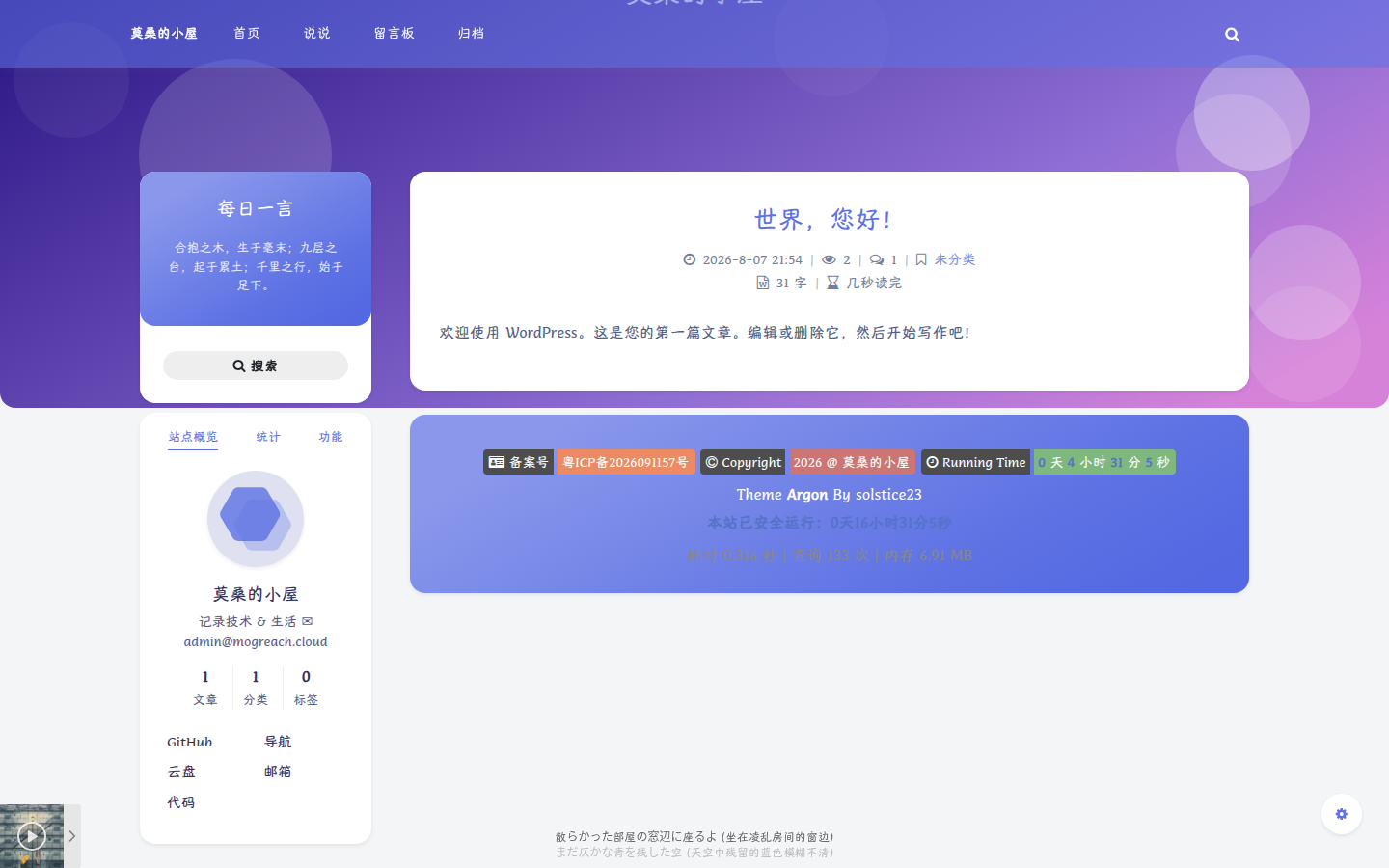
网易云音乐播放器(吸底)
在左下角加了一个网易云歌单的迷你播放器,用 APlayer + MetingJS 实现,支持随机播放、折叠列表。
配置代码(argon_custom_html_head)
<link autoplay="false" fixed="true" href="https://cdn.jsdelivr.net/npm/aplayer/dist/APlayer.min.css" id="2031660996" list-folded="false" loop="all" mini="true" order="random" preload="auto" rel="stylesheet" server="netease" src="https://cdn.jsdelivr.net/npm/aplayer/dist/APlayer.min.js" type="playlist"></link>
⚠️ 浏览器策略限制,首次进入不会自动播放,需要用户点击。歌单 ID 是网易云歌单链接里的数字。
音乐播放器(稳定版)
播放器改用 本地 APlayer + i-meto API,不再依赖 jsdelivr CDN 和 MetingJS 自定义元素机制:
<link href="/wp-content/uploads/aplayer/APlayer.min.css" rel="stylesheet"></link>
<script src="/wp-content/uploads/aplayer/APlayer.min.js"></script>
// 初始化:fetch 网易云歌单(803 首)→ APlayer fixed+mini
// localStorage 缓存 12h(秒开,不依赖 API 速度);API 挂了静默失败不影响页面
var CACHE_KEY = 'blog*playlist' + playlistId;
var cache = JSON.parse(localStorage.getItem(CACHE_KEY) || 'null');
if (cache && Date.now() - cache.ts < 12  3600  1000) {
buildPlayer(cache.list);  // 命中缓存直接建播放器
} else {
fetch(API_URL).then(r => r.json()).then(list => {
localStorage.setItem(CACHE_KEY, JSON.stringify({ ts: Date.now(), list: list }));
buildPlayer(list);
}).catch(function(){ / 静默失败,不影响页面 */ });
}
⚠️ 重大教训:替换
argon_custom_html_head里的播放器块时,务必确认替换区间边界——之前误把同一区域里的自定义 CSS(字体/圆角/日历美化等)一起删掉,导致整站空白。恢复原状后,改用 只在末尾追加独立脚本 的隔离方式,绝不再动现有内容。
全局字体:汉仪唐美人
默认的 Comfortaa 字体偏英文手写风格,中文显示一般。换成了汉仪唐美人(HYTangMeiRen),一款优雅的中文手写字体。
上传字体文件
字体 woff2 文件(3.6MB,9893 个字形,中英文全覆盖)放到:
/var/www/html/wp-content/uploads/hytangmeiren.woff2
定义 @font-face + 全局应用
@font-face {
font-family: "HYTangMeiRen-55W";
src: url("/wp-content/uploads/hytangmeiren.woff2") format("woff2");
font-weight: 400;
font-style: normal;
font-display: swap;
}
body, p, h1, h2, h3, h4, h5, h6, div, span, a, li, td, th,
input, button, textarea, blockquote, code, pre {
font-family: "HYTangMeiRen-55W", "Comfortaa", "Open Sans",
-apple-system, system-ui, "PingFang SC", "Microsoft YaHei", sans-serif !important;
}
圆角卡片 + 胶囊按钮
.card, .card-body, .widget, .site-footer, .banner {
border-radius: 16px !important;
}
.btn, .btn-primary, .btn-outline-primary {
border-radius: 999px !important;
}
⚠️ 踩坑:字体规则千万不要写成
<em> { font-family: ... !important; }</em>,会无差别覆盖 Font Awesome 图标字体(图标本质是字体符号),导致全站图标变方块!要用具体元素选择器,并显式保护图标:
i.fa, .fa, .fab, .fas, .far, i[class*="fa-"] {
font-family: "FontAwesome" !important;
}
字体子集化建议
3.6MB 的 woff2 首次加载稍慢。后续可用 fontTools 做子集化,只保留文章用到的汉字,能压到 1MB 以内:
from fontTools.subset import Subsetter, Options
from fontTools.ttLib import TTFont
# 保留常用 3500 字 + 标点 + 英数
侧边栏重构(参考阿雷博客)
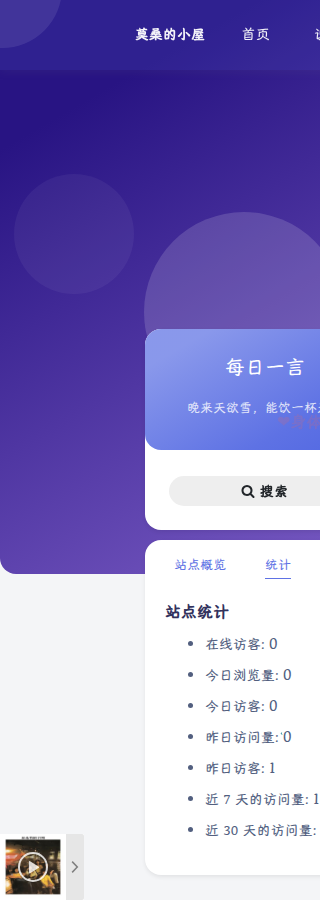
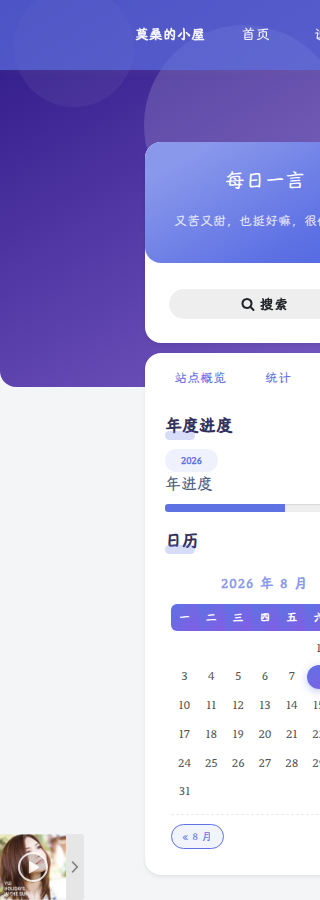
原版 Argon 左侧栏比较朴素,参考阿雷博客重构为 三个 Tab:
┌─────────────────────────────┐
│  Banner: 每日一言 (hitokoto) │
│  菜单: 首页/说说/留言板/归档   │
│  搜索框                      │
├─────────────────────────────┤
│  [站点概览] [统计] [功能]     │
├─────────────────────────────┤
│  ① 站点概览 Tab              │
│    头像 + 名字 + 简介(含邮箱)  │
│    文章/分类/标签 统计三格     │
│    作者链接排(导航/云盘/代码/  │
│    GitHub/邮箱)              │
│  ② 统计 Tab                  │
│    WP Statistics 站点统计    │
│  ③ 功能 Tab                  │
│    年度进度条 + 日历          │
└─────────────────────────────┘

关键点
1. Argon 的侧边栏区域(不是 WordPress 默认 sidebar-1/2):
区域用途leftbar-tools功能 Tab 内容leftbar-siteinfo-extra-tools站点概览下方附加内容2. 每日一言:Banner 副标题填 --hitokoto-- 即自动调用一言 API:
// 设置项
argon_sidebar_banner_title    = 每日一言
argon_sidebar_banner_subtitle = --hitokoto--
3. 作者链接排:创建名为"作者链接"的导航菜单,注册到 leftbar_author_links 菜单位置,添加自定义链接(GitHub/云盘/代码/邮箱等)。
4. 统计独立 Tab:修改 sidebar.php,把 leftbar-siteinfo-extra-tools 从站点概览移到独立的"统计" Tab(修改前先备份 sidebar.php.bak)。
5. 年度进度条:一个 text widget,JavaScript 实时计算当年进度:
<script>
function yearprogress_refresh() {
let year = new Date().getFullYear();
let from = new Date(year, 0, 1);
let to = new Date(year, 11, 31, 23, 59, 59);
let now = new Date();
let progress = (((now - from) / (to - from + 1)) * 100).toFixed(2);
$("#yearprogress_progresstext").text(progress + "%");
$("#yearprogress_progressbar").css("width", progress + "%");
}
yearprogress_refresh();
setInterval(yearprogress_refresh, 500);
</script>
2026-08-09:站点概览"文章"统计可点击,跳转归档页 /archives/(设置 option argon_archives_timeline_url)。
站点统计(WP Statistics)
安装了 WP Statistics 插件(SQLite 兼容),提供完整的访问统计:
- 在线访客数
- 今日/昨日浏览量、访客数
- 近 7 天 / 近 30 天访问量
配置为独立 Tab 展示,不挤占站点概览空间。数据库表 wp-statistics 自动创建,无需额外配置。
页面与导航
创建页面
用 Argon 自带模板创建了三个页面:
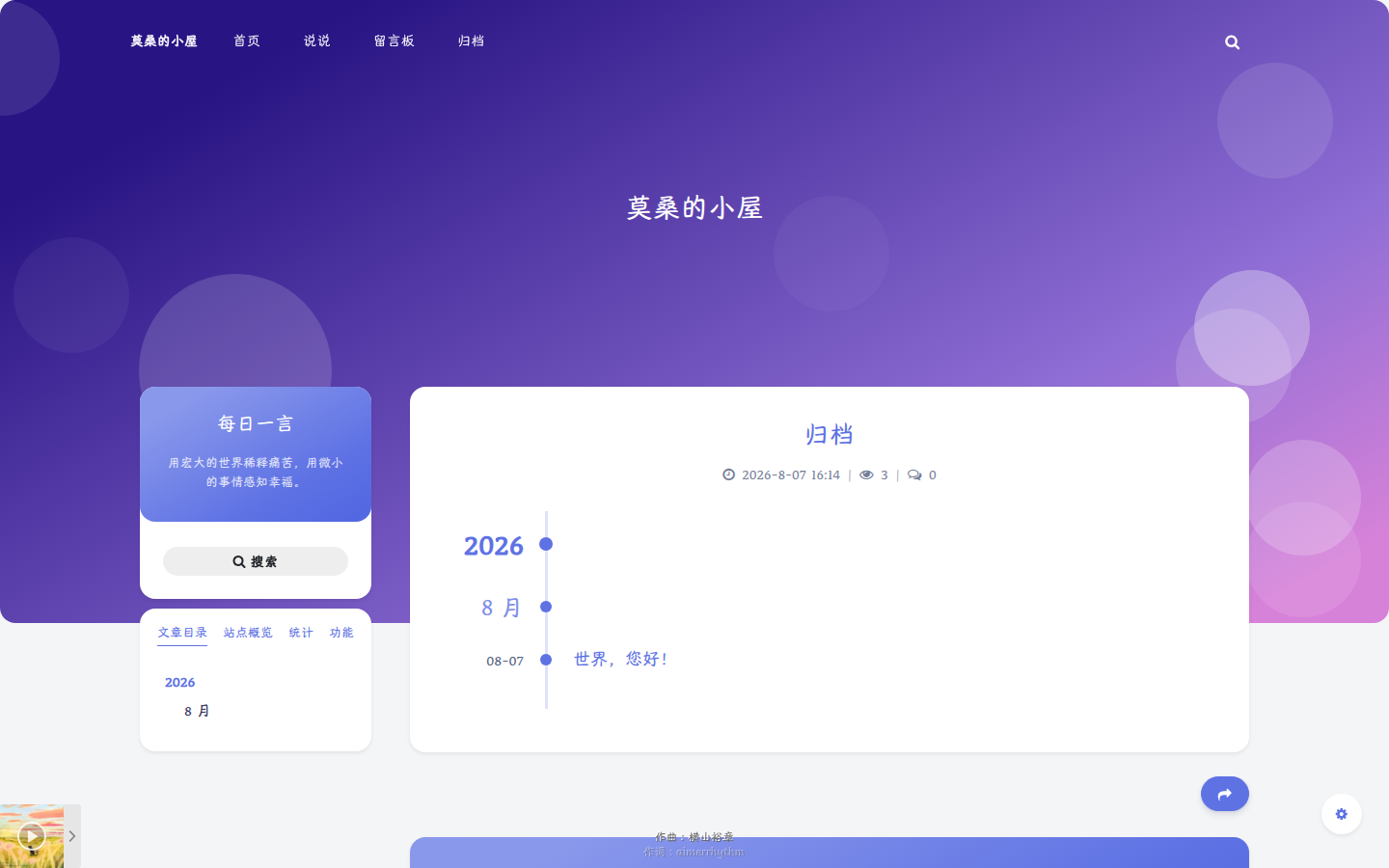
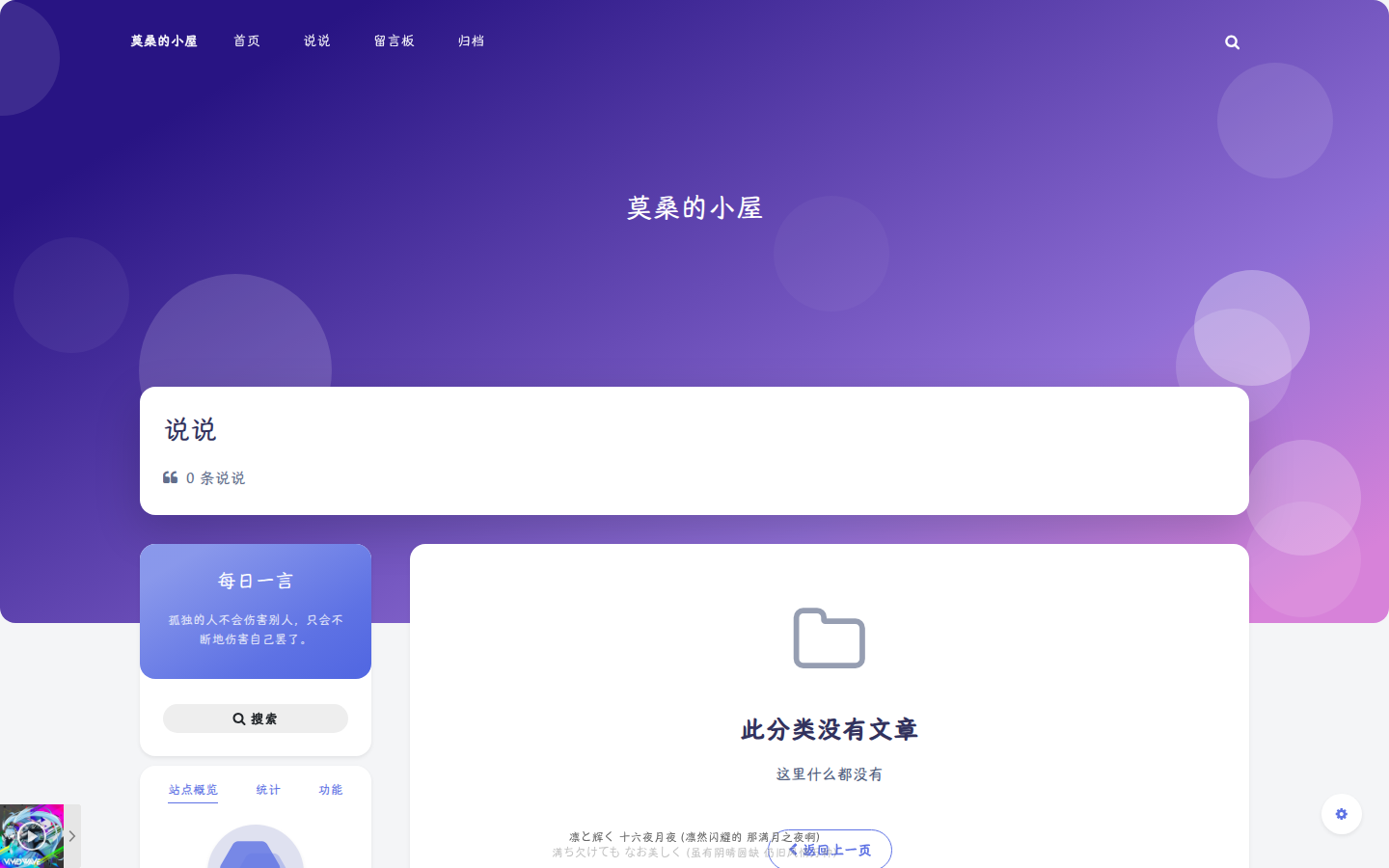
页面模板路径说说说说(shuoshuo.php)/shuoshuo/留言板留言板(msgboard.php)/msgboard/归档归档时间轴(timeline.php)/archives/
顶部导航菜单
创建"顶部导航"菜单,注册到 toolbar_menu 菜单位置:首页 / 说说 / 留言板 / 归档。
💡 创建页面时注意
comment_status要设为open,否则留言板模板不会显示评论表单(comments_open()判断)。
留言板增强
参考阿雷博客,留言板开了完整的评论增强功能:
功能设置项值Markdown 评论argon_comment_allow_markdowntrue表情键盘argon_comment_emotion_keyboardtrue私密评论argon_comment_allow_privatemodetrue邮件通知argon_comment_allow_mailnoticetrue评论可编辑argon_comment_allow_editingtrueQQ 头像argon_comment_enable_qq_avatartrue显示设备/浏览器argon_comment_show_uaplatform/browser/version评论点赞argon_comment_upvotedtrue验证码argon_comment_need_captchafalse(关闭,体验好)
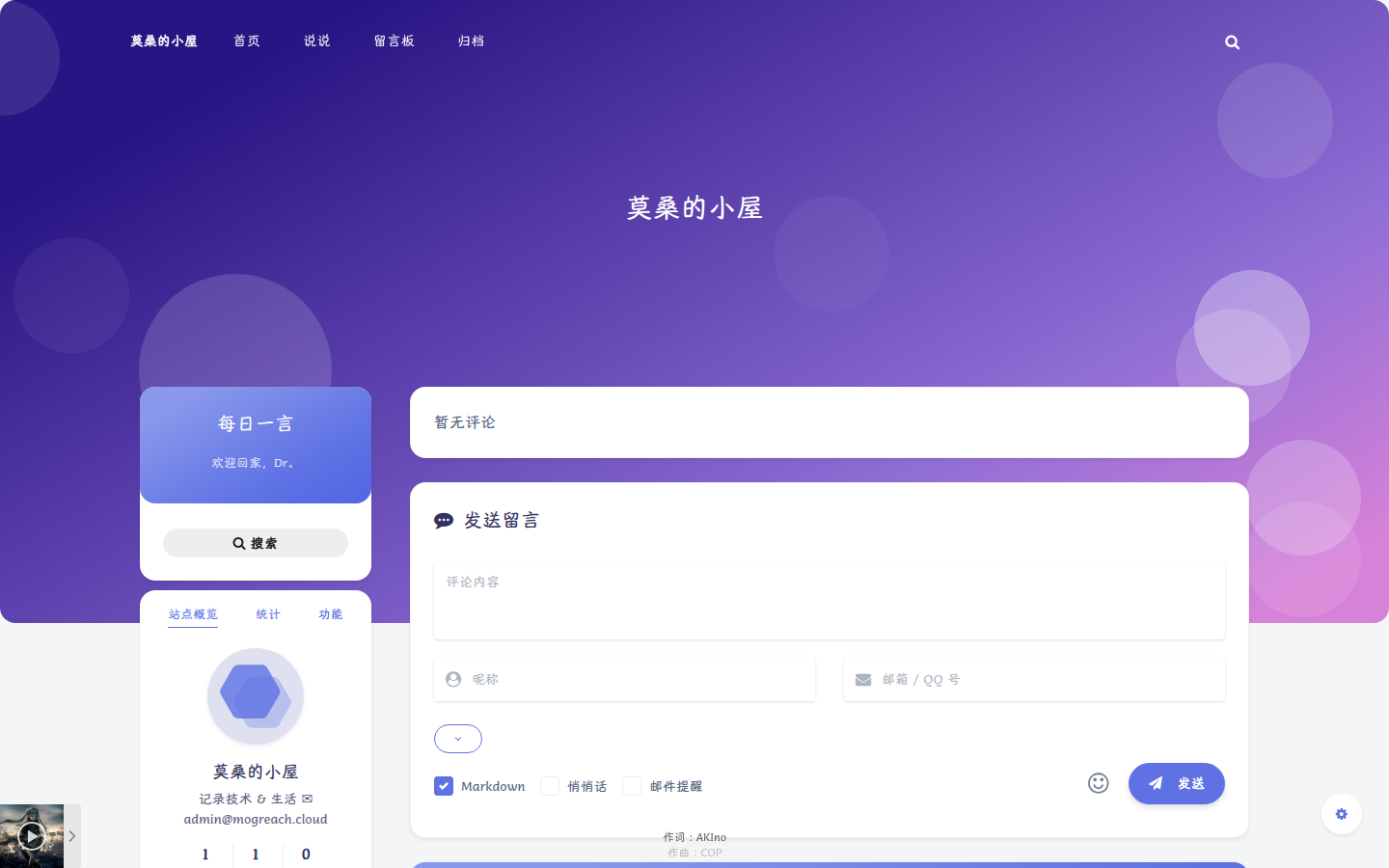
2026-08-09:修复表情键盘被遮挡问题(z-index 提到 99999,弹出位置正常显示在评论区下方)。
页面特效
在 argon_custom_html_foot 添加了三个轻量特效(仅 PC 端生效,移动端自动跳过):
鼠标仙女棒
鼠标移动拖出彩色星光轨迹:
<script>
(function(){
if (window.innerWidth < 768) return;
var s = document.createElement('script');
s.src = 'https://cdn.jsdelivr.net/gh/huangwb8/bloghelper@latest/mouse/halo-dream/fairyDustCursor.min.js';
document.head.appendChild(s);
})();
</script>
鼠标点击飘字
点击页面任意位置,飘出祝福文字:
<script>
var a_idx = 0;
jQuery(document).ready(function($) {
$("body").click(function(e) {
var a = ["<img role="img" class="emoji" alt="❤" src="https://s.w.org/images/core/emoji/17.0.2/svg/2764.svg">身体健康<img role="img" class="emoji" alt="❤" src="https://s.w.org/images/core/emoji/17.0.2/svg/2764.svg">万事如意<img role="img" class="emoji" alt="❤" src="https://s.w.org/images/core/emoji/17.0.2/svg/2764.svg">心想事成<img role="img" class="emoji" alt="❤" src="https://s.w.org/images/core/emoji/17.0.2/svg/2764.svg">笑口常开<img role="img" class="emoji" alt="❤" src="<script src="https://cdn.jsdelivr.net/gh/huangwb8/bloghelper@latest/js/input-with-fire.js"></script></script>
卡片 3D 倾斜
鼠标悬停文章卡片时轻微 3D 倾斜(vanilla-tilt):
<script>
(function(){
if (window.innerWidth < 768) return;
var s = document.createElement('script');
s.src = 'https://cdn.jsdelivr.net/gh/huangwb8/bloghelper@latest/vanilla3D/vanilla-tilt_v1.7.3.js';
s.onload = function(){
VanillaTilt.init(document.querySelectorAll('article.post, .card'), {
reverse: true, max: 6, perspective: 1000, scale: 1.01, speed: 500, reset: true
});
};
document.head.appendChild(s);
})();
</script>
耗时 / 查询数 / 内存(页脚)
修改 footer.php,在 `` 前插入 PHP 统计:
<?php printf(
'耗时 %.3f 秒 | 查询 %d 次 | 内存 %.2f MB',
timer_stop(0, 3),
get_num_queries(),
memory_get_peak*usage() / 1024 / 1024
); ??>
实测效果:耗时 0.081 秒 | 查询 13 次 | 内存 6.86 MB
🏞 全屏壁纸 + 一键切换
全屏壁纸铺底,内容卡片半透明透出壁纸;导航栏 🌆 按钮随机切换,localStorage 记住选择。
配置步骤
- 上传壁纸:媒体库上传 6 张 Unsplash 免费壁纸(极光/森林/湖泊/山峦/夜景/海洋),文件
wall.jpg,自动同步 COS 图床 - 壁纸层 CSS:注入
argon_custom_html_head,定义#blog-wallpaperfixed 全屏铺底、z-index -1(body 背景之上、内容之下);夜间模式加::after暗化遮罩rgba(15,20,30,0.45) - body 半透明:日间
rgba(255,255,255,0.72)、夜间rgba(24,28,39,0.72),让壁纸透出 - 切换按钮:header.php 导航栏加
#navbar_toggle_wallpaper(fa-picture-o 图标) - 切换 JS:localStorage
blog_wallpaper_v1记住当前,点击随机切换(避免重复),pjax:end重新绑定
/* 壁纸层:固定全屏,内容之下 */
#blog-wallpaper {
position: fixed; top: 0; left: 0;
width: 100%; height: 100%;
z-index: -1;
background-size: cover;
background-position: center;
transition: background-image 0.6s ease;
}
/* 夜间模式暗化遮罩 */
html.darkmode #blog-wallpaper::after {
content: ""; position: absolute;
top: 0; left: 0; width: 100%; height: 100%;
background: rgba(15, 20, 30, 0.45);
}
/* body 半透明透出壁纸 */
body { background: rgba(255,255,255,0.72); }
html.darkmode body { background: rgba(24,28,39,0.72); }
💡 壁纸文件:
wp-content/uploads/2026/08/wall_{aurora,forest,lake,mountain,night,ocean}.jpg。切换 JS 在argon_custom_html_head的blog_wallpaper_v1逻辑里。
❄ 雪花飘落
全站飘落雪花,轻盈淡雅不干扰阅读。
配置步骤
- JS 文件:
snow-effect.js放主题根目录(参考 caizhenxin.github.io,flakeCount 150→80 防密集) - 引入:
argon_custom_html_head里 ``
<script src="/wp-content/themes/argon/snow-effect.js"></script>
💡 雪花密度在 JS 里调
flakeCount变量(当前 80)。
🐈 底部走动桌宠(三选一)
尼尔 2B / 初音未来 / 小黑子篮球鸡 三只桌宠随机出现,从屏幕外走入、到边自动掉头往返,自带走路动画。导航栏 🐾 按钮随时切换,localStorage 记住选择。
配置步骤
- 素材:用户提供 3 个 Codex pet 格式压缩包(pet.json + spritesheet.webp),用 PIL 分析精灵图网格(9行×8列,每帧约192×208),提取走路帧(行1)转透明 GIF
- 文件:
pet-nier.gif / pet-miku.gif / pet-ikun.gif放主题pets/目录 - 注入:
argon_custom_html_head追加桌宠代码(img + style + JS) - 逻辑:localStorage
blog_pet记住随机选择;DOMContentLoaded 后动态设置 src,img.onload 后启动走动;外层#zhuochong-wrap管移动动画 + scaleX 翻转,内层 img 只保留摇摆(分层避免 transform 冲突) - 切换按钮:header.php 加
#navbar_toggle_pet(fa-paw 图标),调用window.switchPet()(do-while 避免随机到当前桌宠)
<div id="zhuochong-wrap">
<img id="zhuochong"></img>
</div>
// 状态变量提升到 IIFE 顶层闭包(isfirst/fx/time/imgW)
// 掉头用 setTimeout(time*1000ms) 切 fx 重启动画,比 animationend 可靠
// 尺寸:max-height 100px,imgW 比例 0.5
⚠️ 坑:精灵图每行可能是不同动作/不同朝向,拼帧前先做镜像相似度分析验证朝向;
position:fixed移到外层后,所有定位动画(left)必须跟着移到外层;改animationName重启动画需先animationName=none + reflow。
🎎 Live2D 看板娘
黑猫 / 女学生 / 初音三款模型,库与模型全部本地化,不依赖 CDN,微信内置浏览器也稳定。左下角展示,桌面/移动端都显示。导航栏 😊 按钮或点击看板娘本体切换模型。
配置步骤
- 本地化资源:live2d-widget@3.1.4 库(
L2Dwidget.min.js+ 异步 chunkL2Dwidget.0.min.js)与 3 个模型完整下载到主题kanban/目录 - 模型路径:
/wp-content/themes/argon/kanban/{hijiki,shizuku,miku}/{模型}.model.json;.moc必须放moc/子目录(model.json 相对路径引用) - 注入:
argon_custom_html_head(body 顶部,全站生效) - 配置:
display: { position: "left", vOffset: 60 }左下角上移;mobile: { show: true, scale: 0.6 }移动端也显示 - 切换逻辑:localStorage
blog_kanban记住;用L2Dwidget.on("config", cb)捕获内部 config,每次切换先delete cfg.model.jsonPath再 re-init(库用 defaultsDeep 合并,不 delete 不生效)
<script src="/wp-content/themes/argon/kanban/L2Dwidget.min.js"></script>
// 切换模型:先删旧配置再 init(defaultsDeep 不覆盖已存在的值)
delete cfg.model.jsonPath;
delete cfg.model.scale;
L2Dwidget.init({ model: { jsonPath: '新模型路径' } });
⚠️ 三个深坑:①
mobile.show:false会让移动端完全跳过初始化;② webpack 打包的主文件很小,必须连同异步 chunkL2Dwidget.0.min.js一起下载(否则动态加载 404);③ 库的 config 合并用 defaultsDeep(默认值语义),重复 init 传新路径无效,必须先 delete。
🎨 自定义光标系统
4 种光标风格随机(Nier / Hand / 像素 P5 / 其他),链接、摘要、统计区统一跟随当前风格,localStorage 记住。
配置步骤
- 素材:
wp-content/uploads/cursors/放 nier-link.png、Hand.cur、p5-link.png、ba-link.png 等光标文件 - 注入:
argon_custom_html_head里blog_cursor_style_v8JS,localStorage keyblog_cursor_style - 逻辑:新访客默认 nier 并写入 localStorage;老访客 35% 概率随机切换
- 作用域:
.post-content-clickable、.post-meta-detail-catagory-link、.post-meta-detail-tag、.site-author-links-item a、.site-state-item > a4 风格规则
//* 4 风格光标规则示例(Nier) */
.post-content-clickable,
.site-author-links-item a,
.site-state-item > a {
cursor: url(/wp-content/uploads/cursors/nier-link.png) 0 0, pointer;
}
⚠️ 摘要之前内联
cursor: url(nier-link.png)优先级最高导致固定 Nier,已改为类控制。
日历美化
WordPress 默认日历在侧边栏很突兀,重写了一套 CSS 让它融入 Argon 卡片风格:
- 星期表头:紫蓝渐变 + 白色文字 + 圆角胶囊
- 今天:渐变圆形高亮 + 阴影
- 有文章的日期:淡紫圆底,悬停变实心
- 上下月导航:胶囊小按钮
#wp-calendar thead th {
background: linear-gradient(135deg, #5e72e4, #825ee4);
color: #fff;
border-radius: 6px;
}
#wp-calendar tbody td#today::before {
content: '';
position: absolute;
width: 24px; height: 24px;
background: linear-gradient(135deg, #5e72e4, #825ee4);
border-radius: 50%;
box-shadow: 0 2px 8px rgba(94,114,228,.4);
}
2026-08-09 更新:布局调整
日历移入统计 tab
- 直接改
wp_options.sidebars_widgets序列化数组:calendar-1从leftbar-tools移到leftbar-siteinfo-extra-tools末尾(修改前先备份) - 统计 tab 顺序:站点统计 → 日历
- head CSS 加
#leftbar_tab_stats .widget_calendar { margin-top: 18px; padding-top: 12px; }拉开间距
统计 tab 透明化 + 列表美化
/* widget 背景透明,与玻璃风格统一 */
.leftbar_tab_stats .widget {
background: transparent !important;
background-color: transparent !important;
border: none !important;
box-shadow: none !important;
}
/* 统计列表:两端对齐 + 虚线分隔(border 会被覆盖,用 box-shadow) */
.leftbar_tab_stats .widget_wp_statistics_widget li {
display: flex; justify-content: space-between;
box-shadow: inset 0 -1px 0 rgba(var(--themecolor-R),var(--themecolor-G),var(--themecolor-B),0.12);
}
.leftbar_tab_stats .widget_wp_statistics_widget li label {
color: var(--themecolor); font-weight: 600;
}
主题色统一
主题色从亮紫 #5e72e4 统一改为深蓝灰 #2f4154(option argon_theme_color),日/夜配色全面对齐:
- 日间:背景
#eef0f4、卡片白、正文#3c4858、链接#0366d6 - 夜间(
html.darkmode):背景#181c27、卡片#252d38、正文#c4c6c9、链接#1589e9 - 原则:深色背景配浅色字体,浅色背景配深色字体
在线编辑器(Vditor IR 即时渲染 + 文章管理)
独立页面 /editor/:登录后可直接发布文章,支持过往文章管理、搜索、标签/分类下拉管理、封面编辑、暂存草稿。2026-08-16 编辑区升级为 Vditor IR 即时渲染(Typora 式:输入 # 、**粗体**、- 、1. 等语法,按空格/换行立即原位渲染),替代原 Editor.md 的分屏预览方案(同步滚动预览随之移除)。
模板与权限
- 模板:新建主题模板
editor.php(Template Name: 在线编辑器),WordPress 建页面/editor/ - 权限控制:editor.php 顶部判断
is_user_logged_in(),未登录显示"请先登录"提示 + 去登录按钮(wp_login_url(get_permalink())登录后跳回),不渲染编辑器 - 前端注入:editor.php 内联 JS 里
editorAjaxUrl、editorNonce(wp_create_nonce)、editorCanPublish(当前用户是否可发布) - 导航入口:header.php 加
#navbar_editor_link(fa-pencil-square-o),包在is_user_logged_in() && current_user_can('manage_options')条件内(仅管理员登录可见)
后端 AJAX 接口(functions.php)
- 图片上传 argon_editor_upload_image:必须登录 + current_user_can('upload_files') + nonce 校验;finfo 校验 MIME(JPG/PNG/GIF/WebP/BMP/SVG)≤10MB;文件名随机化 editor-日期-随机.扩展名;media_handle_upload 走标准媒体库;前端工具栏/粘贴图片走 Vditor uploadFn → 上传成功 vditor.insertValue('')
- 一键发文 argon_editor_publish:check_ajax_referer('argon_editor_nonce', 'nonce');内容 wp_kses_post 清洗、标题 sanitize_text_field;管理员(can publish_posts)→ post_status=publish,其他登录用户强制 draft;编辑已发布文章不降级;返回 post_id/edit_url/view_url
- 过往文章 argon_editor_list_posts / argon_editor_get_post:载入文章(content 优先 filtered,否则 html→md 反解)
- 标签/分类 argon_editor_get_taxonomies / argon_editor_manage_term:列表 + 新建/重命名/删除词条
- 服务端预览 argon_editor_preview:argon_md_to_html() 用 Githuber 渲染 = 发布一致
Vditor 资源(自托管)
Vditor 3.11.3 全部资源下载到主题 assets/vendor/vditor/dist/(约 6.2MB):index.css / index.min.js + js/i18n/zh_CN.js(中文)+ js/lute/lute.min.js(语法树,IR 模式必需)+ js/highlight.js/highlight.min.js + css/content-theme/light|dark.css(预览主题)+ js/icons/ant.js。放入后须 chown www-data。
关键配置(editor.php 内联 JS)
var vditor = new Vditor('editor-content', {
mode: 'ir', // 即时渲染 = Typora 式
cdn: '.../assets/vendor/vditor/', // ⚠️ 不带 /dist,Vditor 会自动拼 /dist/js/...
lang: 'zh_CN',
icon: 'ant', // 需 dist/js/icons/ant.js
height: 640,
cache: false,
theme: html 有 darkmode class ? 'dark' : 'classic',
preview: { theme: { current: 'dark|light', path: cdn + 'dist/css/content-theme/' } },
upload: { accept: 'image/*', max: 10*1024*1024, uploadFn: uploadImageVditor },
toolbar: ['undo','redo','|','headings','|','bold','italic','strike','|','quote','inline-code','code','|','list','ordered-list','check','|','link','image','table','|','line','clean','|','fullscreen','edit-mode','|','outline'],
after: function(){ vditorReady = true; }
});
// 明暗主题:MutationObserver 监听 html.darkmode → vditor.setTheme(...)
// 读写统一走 vditor.getValue() / vditor.setValue()(就绪时勿先写容器 textContent,会清掉渲染 DOM)
// 图片上传:工具栏/粘贴均触发 uploadFn → argon_editor_upload_image → vditor.insertValue('')⚠️ 两个致命坑(Vditor 静默初始化失败 → 编辑区回退纯文本、不可编辑):
①cdn不能带/dist/——Vditor 源码用cdn + "/dist/js/..."拼 i18n/lute/highlight/icons 路径,带了会全 404,after永不触发;
②icon:'ant'会动态加载dist/js/icons/ant.js,必须从包拷js/icons/到 dist,否则 404 卡初始化。
另:preview.theme.path必须显式指向cdn + 'dist/css/content-theme/'。
服务端预览弹窗(发布一致性)
👁 按钮 → argon_editor_preview AJAX → argon_md_to_html() 用 Githuber 渲染(= 发布页同一渲染链)→ 套 Argon 文章页样式弹窗,代码块动态加载 assets/vendor/highlight.js/highlight.min.js 高亮。
2026-08-16 修复:编辑区长行不自动换行
用户反馈长行需左右滚动查看。根因:Argon 主题 style.css:319 的 html:not(.disable-codeblock-style) article pre:not(.hljs-codeblock){ white-space: pre } 规则不限 .post-content,任何 <article> 内的 <pre> 都中招;而 Vditor IR 的编辑内容正是 <pre class="vditor-reset">(Vditor 自身 pre-wrap 具体度不够),主题规则胜出 → 不换行。修复:editor.php 的 <style> 加:
/* 只作用于编辑区,强制自动换行;不影响发布页代码块 */
#editor-app #editor-content pre.vditor-reset {
  white-space: pre-wrap !important;
  word-break: break-word !important;
  overflow-wrap: break-word !important;
  word-wrap: break-word !important;
}
2026-08-16 修复与调整合集
行内代码 <code> 显示成字面文本(Githuber safeMode)
现象:文章里反引号行内代码在预览/发布页显示成字面 <code>…</code>(尖括号可见)。
根因:Githuber 的 single_line_code_preserve 先把行内反引号替换成原始 <code> HTML(内含 MARKDOWN_HASH 占位符),而 get_parser() 设置了 setSafeMode(true)——safe mode 会转义输入里的原始 HTML,<code> 变 <code> 字面文本。
修复:wp-githuber-md/src/Modules/MarkdownParser.php 与 MarkdownExtraParser.php 的 do_single_line_code_preserve 最终 return 改为反引号包占位符('`' . hash_block(esc_html(...)) . '`'),让 Parsedown 原生生成 <code>。存量文章 post_content 的 <code> 用正则批量治愈(ID=33: 11→0、ID=78: 25→0),备份 /opt/blog/backups/codefix-20260816/。
⚠️ ① 改完必须清 Redis(object cache 会让 get_post 返回旧值);② Githuber 插件升级会覆盖这两个补丁,升级后需重打。
文章发布页 meta 信息栏可读性
"2026-8-07 23:53 / 244 / 0 / 博客开发 / 5017 字 / 34 分钟"(时间/浏览/评论/分类/字数/阅读时长)在封面大图下颜色过浅看不清。在 style.css 追加:
/* 封面大图下:meta 叠在图上,白字+阴影保证可读 */
.post-header.post-header-with-thumbnail .post-meta-detail,
.post-header.post-header-with-thumbnail .post-meta-devide {
  color: rgba(255,255,255,0.95) !important;
  opacity: 1 !important;
  text-shadow: 0 2px 3px rgba(0,0,0,0.35);
}
/* 分类链接是 <a>,有独立链接色,需单独覆盖 */
.post-header.post-header-with-thumbnail .post-meta-detail-catagory-link {
  color: rgba(255,255,255,0.95) !important;
  text-shadow: 0 2px 3px rgba(0,0,0,0.35);
}
首页排版 + 摘要修复
单列 → 参考博客布局
首页文章列表从单列改为 content-preview-3 大图布局(参考 blog.leihub.cn 同款):封面大图在标题上方,max-height 20vh → 45vh 尽可能完整展示封面。
摘要 HTML 标记修复
文章33(博客搭建全记录)正文整篇是 Markdown 转义文本(<h1></h1> 等,Githuber MD 插件历史问题),首页摘要直接显示转义符号。做了智能修复:反转义 → 修复 img src 嵌套 → 修复 包块级 → 清理代码块内错误标签 → 补闭合。
✅ 修复后 10690 字符,所有标签配平(p/h1/h2/ul/pre/blockquote/table),5 图正常,转义清零。
壁纸空间(WebDAV 同步 + 自动压缩)
全屏壁纸从 6 张硬编码升级为 NextCloud 壁纸空间:往 NextCloud 的 Documents/Image/壁纸/ 放图,博客 3 分钟内自动同步并随机切换。
架构
NextCloud 壁纸目录 ──rclone sync(每3分钟)──> 博客 wallpapers/ ──PIL 压缩──> wallpapers-webp/
│
wallpapers-api.php(扫目录返回列表)
│
前端 fetch API 动态加载壁纸
配置步骤
- WebDAV 应用密码:
nextcloud.occ user:auth-tokens:add --name wallpaper-sync mogreach生成 - rclone 同步:
rclone sync ncwall:Documents/Image/壁纸/ → /opt/blog/wallpapers/(--transfers 8并行,否则 WebDAV 单线程只有 2-8KiB/s) - cron:每 3 分钟同步一次
- 挂载:docker-compose 加
./wallpapers:/var/www/html/wp-content/wallpapers和./wallpapers-webp:/var/www/html/wp-content/wallpapers-webp - API:
wallpapers-api.php纯 PHP 扫目录(扩展名白名单),优先返回 WebP 压缩版 - 前端:
argon_custom_html_head的 WALLPAPERS 数组改为 fetch API 动态加载,localStorage 记忆
自动压缩(118MB → 8.5MB)
NextCloud 原图是 7-13MB 的 PNG,服务器出站带宽仅 ~450KB/s,切换一次要等 10-25 秒。用 PIL 增量压缩成 WebP(quality=90,宽 2560):
# compress-wallpapers.py:mtime 比对增量压缩,删除源已删的
Image.MAX_IMAGE_PIXELS = None  # 大壁纸会超 PIL 默认限制
img.convert("RGB").save(dest, "WEBP", quality=90, method=4)
⚠️ 三个坑:① WebDAV 单线程极慢必须加
--transfers 8;② 容器重建后 wp-cli 丢失,改用宿主机 Python 直接改 SQLite;③ 改完数据库必须redis-cli flushall,否则页面还是旧值。
导航栏透明 + 去掉全页阴影
顶部菜单栏透明不虚化壁纸,滚动后由 JS 自动恢复不透明;去掉了覆盖壁纸的固定半透明遮罩,壁纸全页可见。
关键机制
/* body 去半透明遮罩,壁纸全页透出 */
body { background: transparent; }
/* 顶部导航透明不虚化 */
#navbar-main { background: transparent; backdrop-filter: none; }
⚠️ 关键:JS 滚动时用
setProperty(..., 'important')内联样式接管背景(渐变到 0.85 不透明),内联!important优先级高于样式表,所以「顶部透明、滚动后不透明」两不冲突。卡片背景用 CSS 变量--color-foreground/--color-widgets,不受 body 透明影响。
维护脚本汇总
所有配置脚本保存在服务器 /opt/blog/scripts/:
| 脚本 | 用途 |
|---|---|
wp_argon_config.php |
页脚徽章 + 音乐播放器 + 字体 CSS |
wp_sidebar_config.php |
年度进度条 widget |
wp_stats_widget.php |
WP Statistics 统计 widget |
wp_effects.php / wp_effects2.php |
页面特效 |
wp_patch_footer.php |
footer.php 耗时/内存 |
wp_leftbar_config.php |
左侧栏每日一言/描述 |
wp_pages_menu.php |
页面创建 + 顶部菜单 |
wp_author_links.php |
作者链接排 |
wp_comment_config.php |
留言板评论增强 |
wp_calendar_css.php |
日历美化 |
wp_font_config.php |
汉仪唐美人字体 |
wp_upload_shots.php |
截图上传 |
editor.php(主题模板) |
在线编辑器页面(权限 + 一键发文 + 图片上传) |
functions.php(AJAX) |
argon_editor_publish 发文 / argon_editor_upload_image 图片上传 |
kanban/(主题目录) |
Live2D 看板娘库 + 3 模型(本地化) |
pets/(主题目录) |
桌宠 GIF(pet-nier/miku/ikun) |
snow-effect.js(主题根目录) |
雪花特效 |
wall*.jpg(媒体库) |
全屏壁纸 6 张(自动同步 COS) |
wallpapers-api.php |
壁纸空间 API(扫目录返回 WebP 压缩版列表) |
sync-wallpapers.sh + compress-wallpapers.py |
NextCloud 壁纸同步 + WebP 压缩 |
aplayer/(上传目录) |
本地 APlayer 播放器库(JS+CSS) |
统一操作流程:改数据库 → 清 Redis → 验证页面。
🔧 2026-08-16 新增维护项:
assets/vendor/vditor/(主题目录)Vditor 3.11.3 自托管资源(约 6.2MB);Githuber 补丁wp-githuber-md/src/Modules/MarkdownParser.php+MarkdownExtraParser.php的do_single_line_code_preserve(⚠️ 插件升级会覆盖,需重打)。
效果一览

本文持续更新,后续补充新的美化项。